
Migraine tracker for iPhone and Apple Watch
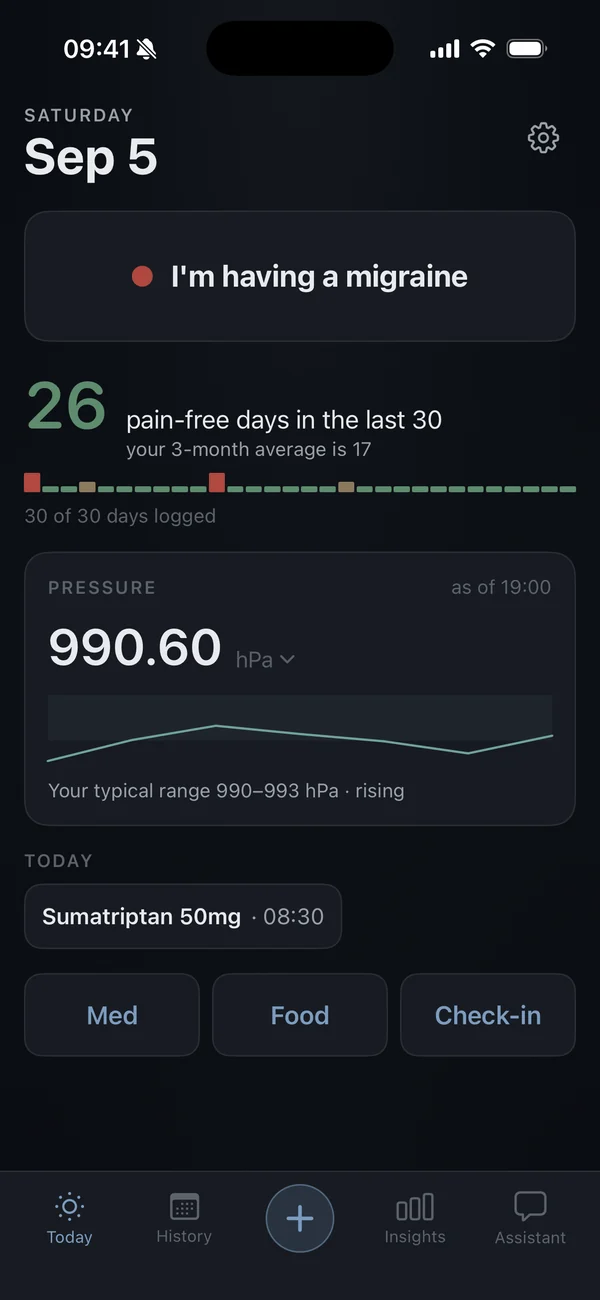
One tap. That's the whole log.
Umber is a calm, dark migraine diary. Log an attack the moment it starts, with nothing to fill in. Over the weeks, see what tends to come before your attacks, with honest numbers. Then take a clean PDF of it all to your doctor.
Available now on the App Store. Free to log, forever. Premium is optional. Requires iOS 18 or later.

How it works
Log it. See what comes before it. Take it to your doctor.
Four jobs, in the order you need them.
-
01 · Log
Log it before you can think about it.
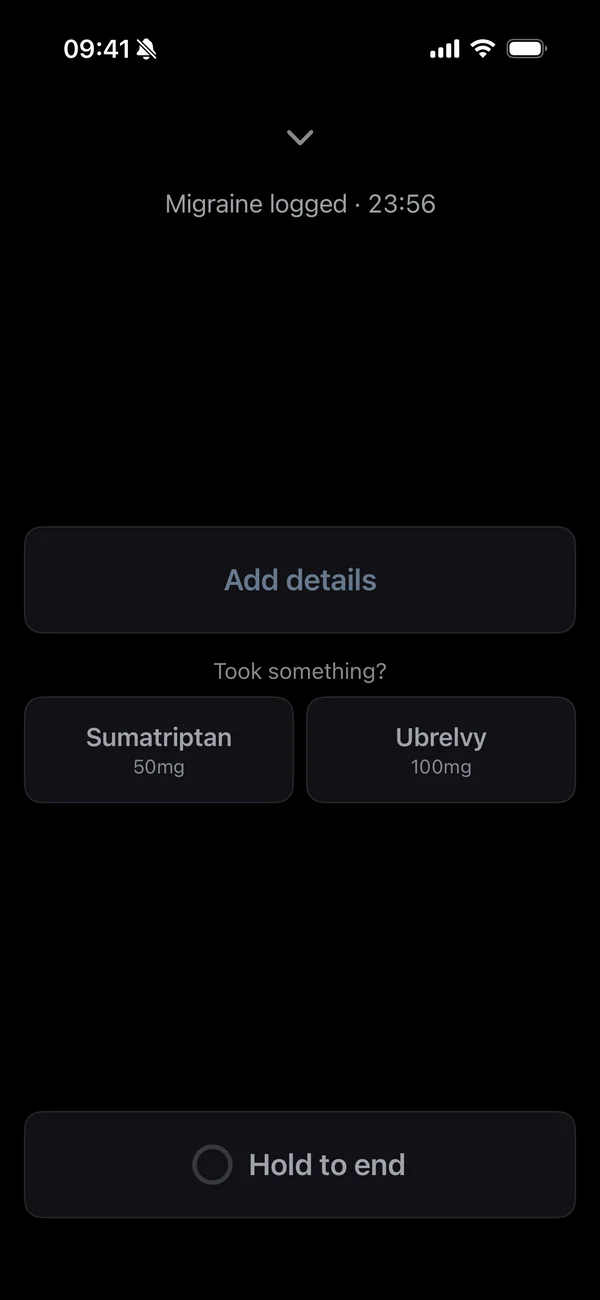
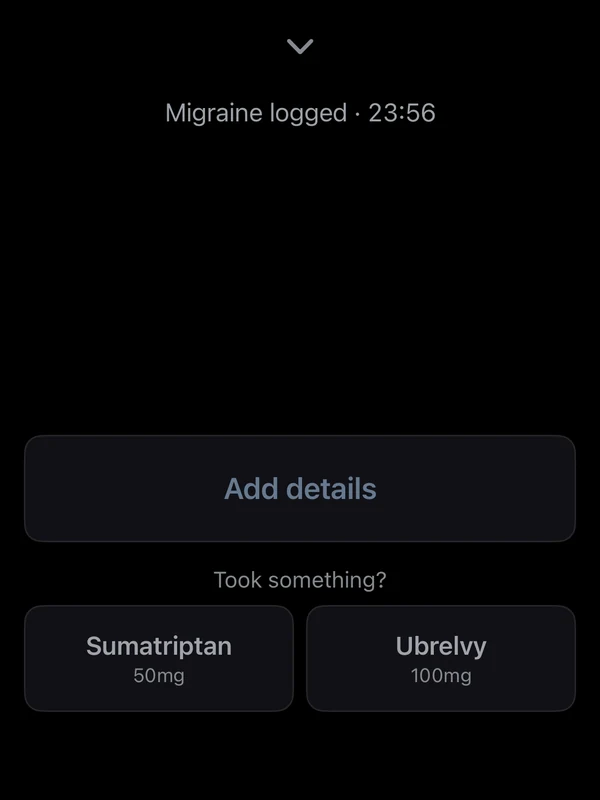
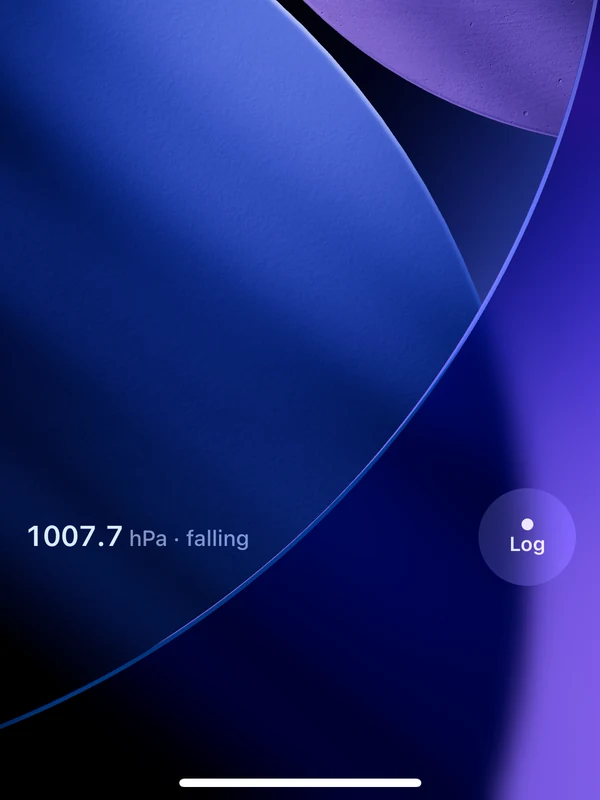
One tap on the phone, the Lock Screen widget, your Apple Watch or Siri starts an attack. No form first. No login, no permission prompt, no paywall in the way. The whole app dims to near-black and stays quiet until you're ready to add details, or not.
- The screen stays near-black for the whole attack. No clocks, no counters.
- Add severity, where it hurts and what you took later. Or never.
- Logging is free, always, and never behind a prompt.
-
02 · Patterns
See what tends to come before an attack.
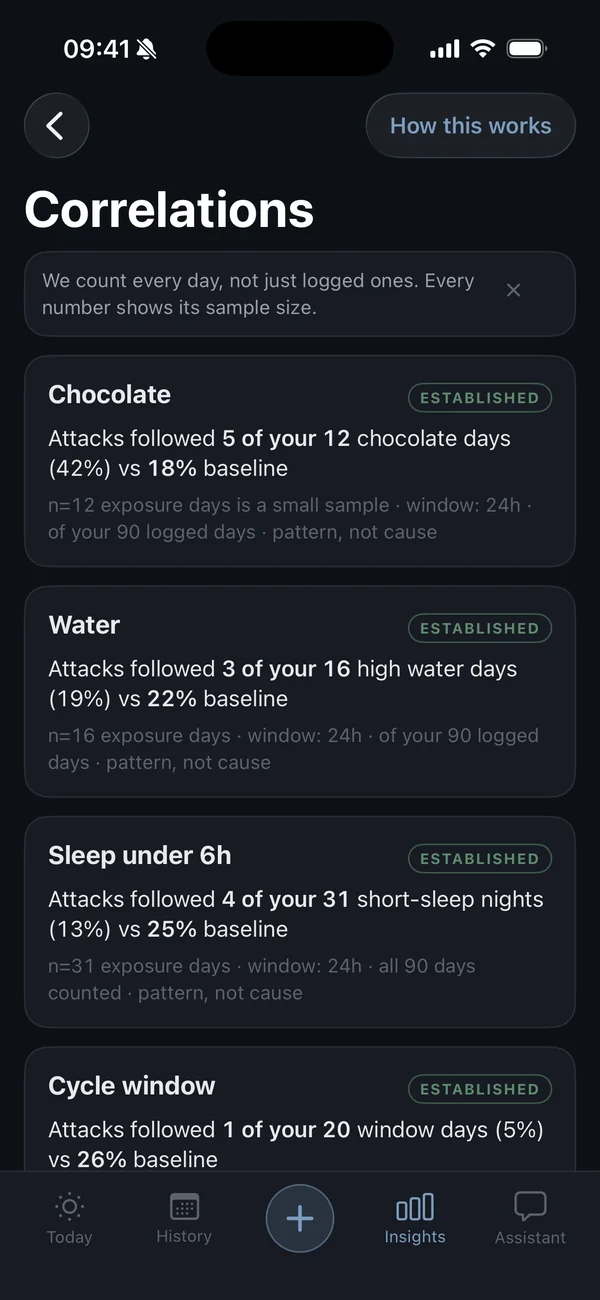
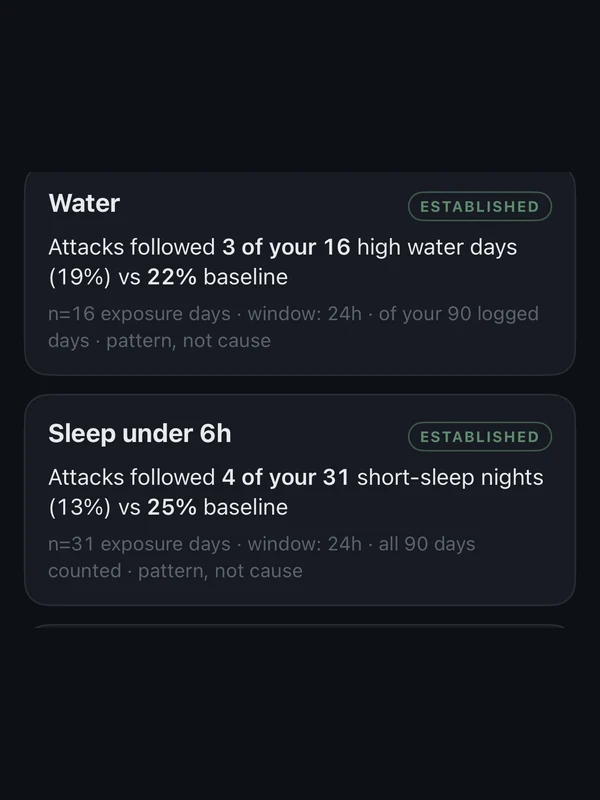
Umber lines up your attacks against everything you logged: sleep, pressure, medication, food, and anything you choose to track yourself. When something shows up before your attacks more often than on other days, it says so, with the numbers. What you do with that is between you and your doctor: change one thing, watch the next weeks, see whether the pattern moves.
Example · demo data
Attacks followed 5 of your 12 chocolate days (42%). On other days: 18%.
n = 12 exposure days · window 24h · a pattern in your data, not a cause
- Every correlation shows its sample size and what it is compared against.
- Track anything you suspect: skipped meals, red wine, screens after midnight. Umber tells you whether your data agrees, or that it cannot tell yet.
- Correlations are part of Premium. The logging that feeds them is free.
-
03 · Weather
Your weather, on the same chart as your attacks.
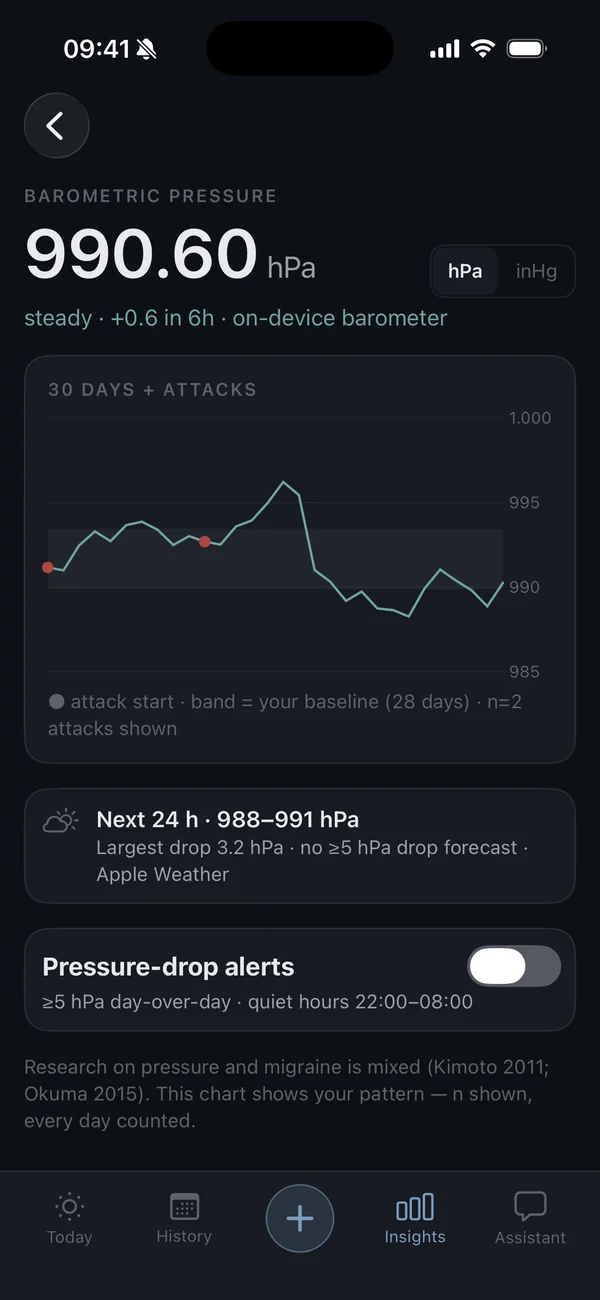
Barometric pressure comes from the sensor in your iPhone, plotted against 30 days of attacks. A band marks your personal baseline, so a drop is measured against your normal, not the region's. Pressure alerts tell you when a drop is forecast.
- Every chart says how many attacks it is drawn from.
- Sleep is read from Apple Health, never guessed.
- The barometer works offline. It is in your phone.
-
04 · Report
Walk in with real data.
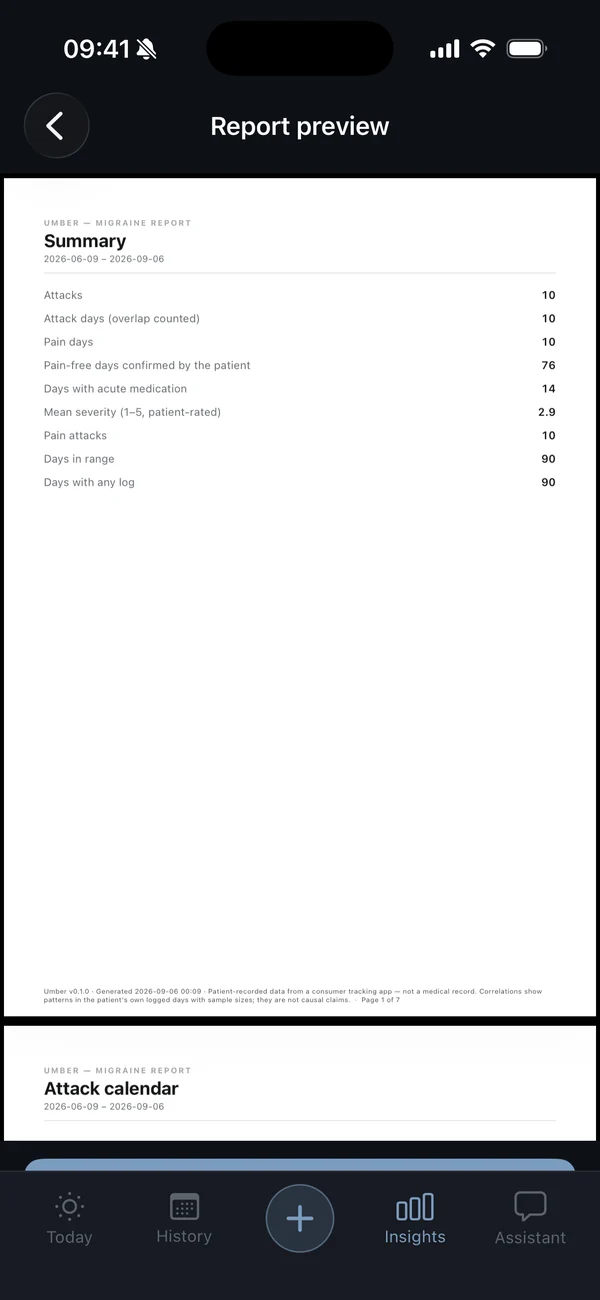
Pick a date range. Umber lays out your attacks, medication days, sleep and pressure as a clean PDF. Your data, in order, with nothing added: no scores, no predictions. Made for the appointment where someone asks "how many this month?"
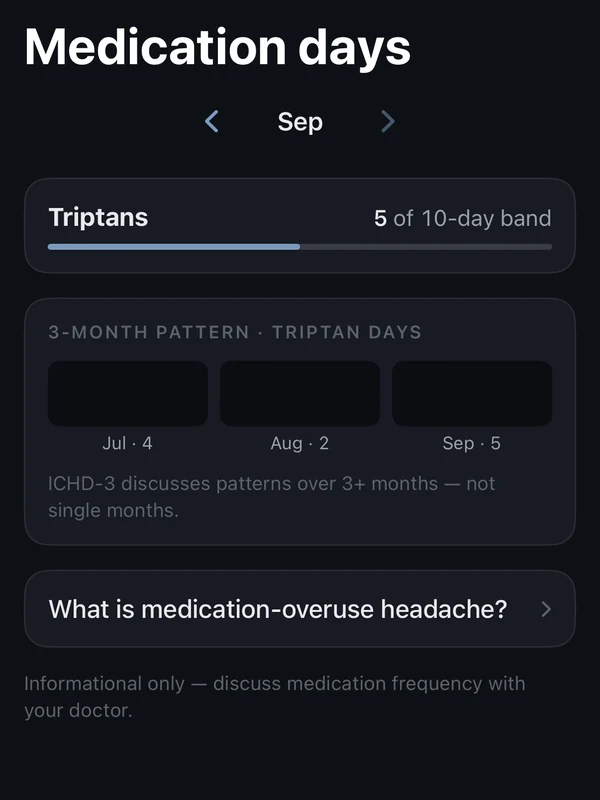
- Log any medication, any time. Acute-medication days are counted per month.
- Long-acting injections sit on the calendar as markers.
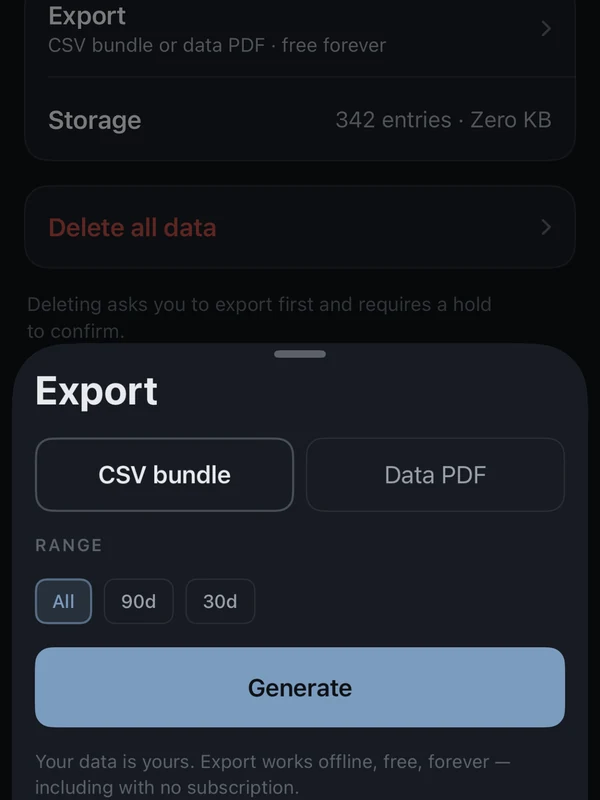
- Raw export is free: CSV or a plain data PDF, any range.
Also, quietly
Small things that add up.
-
Apple Watch, one tap
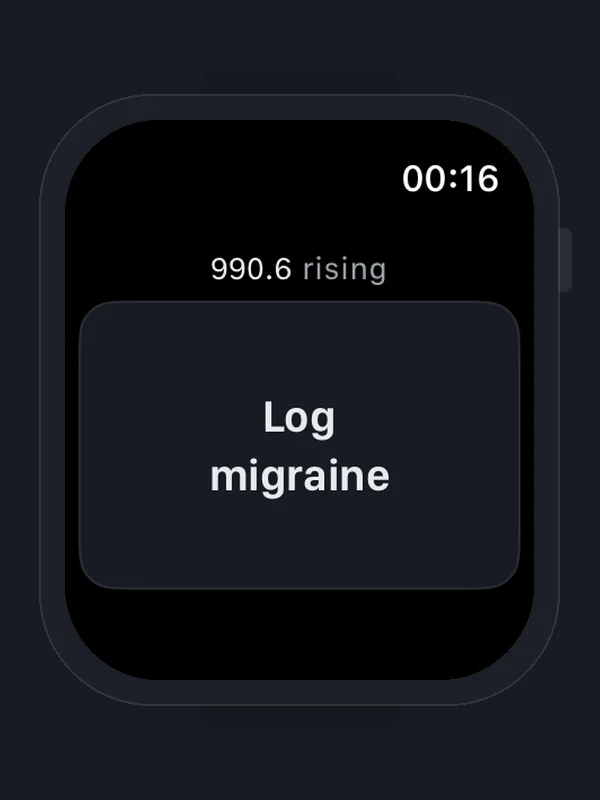
Start and end an attack from your wrist. Set severity with the crown. Works without your phone nearby.
-
The whole app dims
During an attack every screen drops to near-black. No images, no motion, nothing bright.
-
Medication days, counted
Log any medication any time. Acute-medication days are counted each month, with a quiet note as they add up.
-
Sleep from Apple Health
Read only, and only with your permission. Umber never writes to Health and never guesses your sleep.
-
Widgets and Siri
A Lock Screen widget and a Siri phrase start the log without opening the app. Both are free.
-
Export, always free
CSV or a plain data PDF for any range, from Settings. With or without Premium, before or after you cancel.

Honest by design
Insights that show their work.
Every statistic in Umber says how much data it rests on, and says "not enough yet" when that is the truth.
Sample sizes, always.
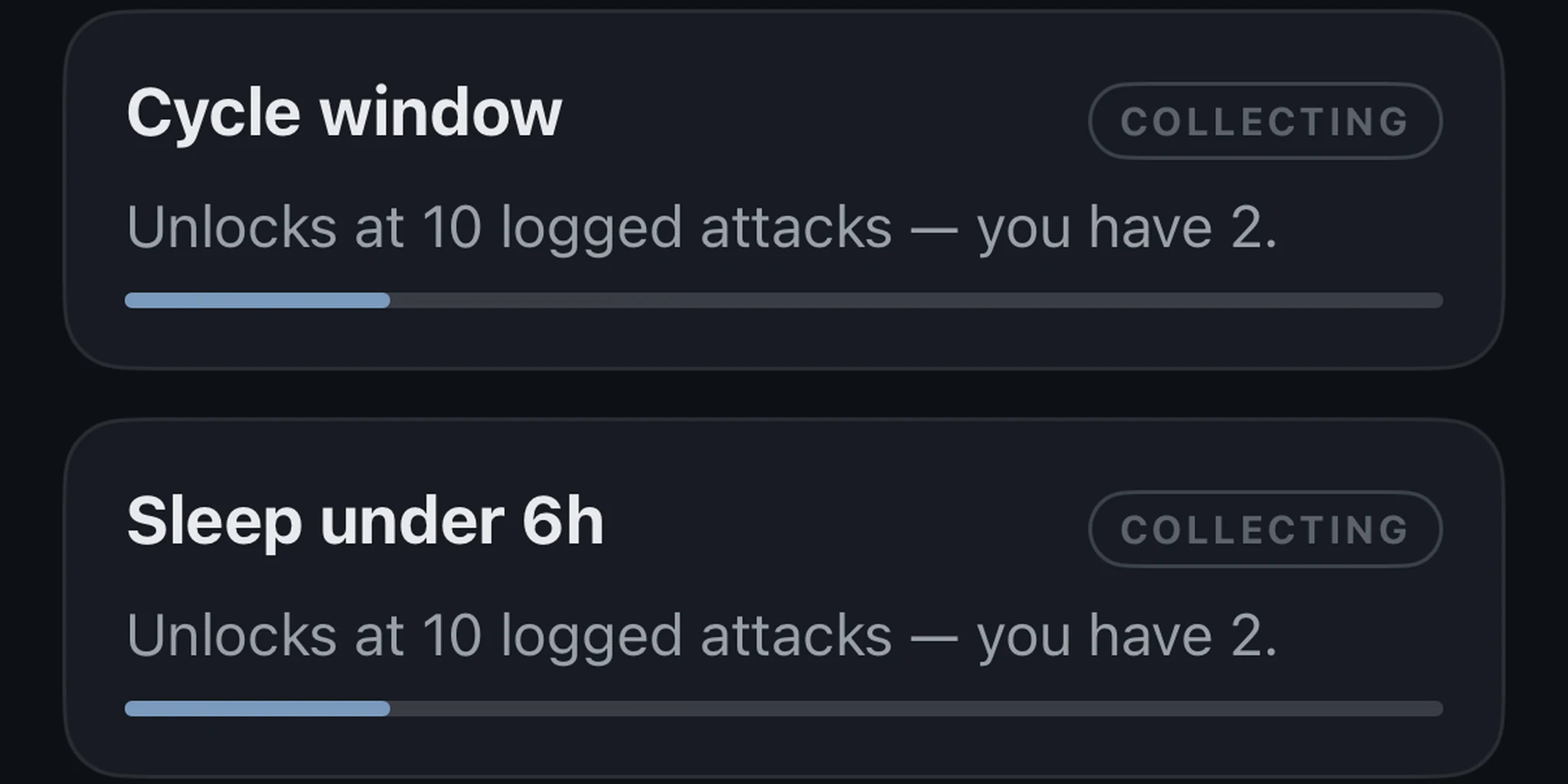
Under every insight: "n = 12 exposure days". Correlations give an early read at 4 logged attacks — with the likely range shown — and the full picture at 10; the app tells you how far along you are.
No predictions.
Umber does not score your risk or forecast your next attack. It shows patterns in your own data and calls them patterns, not causes.
No dark patterns.
No countdowns, no flash sales, no streaks, no snarky notifications. Trial terms sit in plain words under the button. Cancel in Settings, any time.
Privacy
Your diary stays yours.
- No account, no email. Nothing to sign up for.
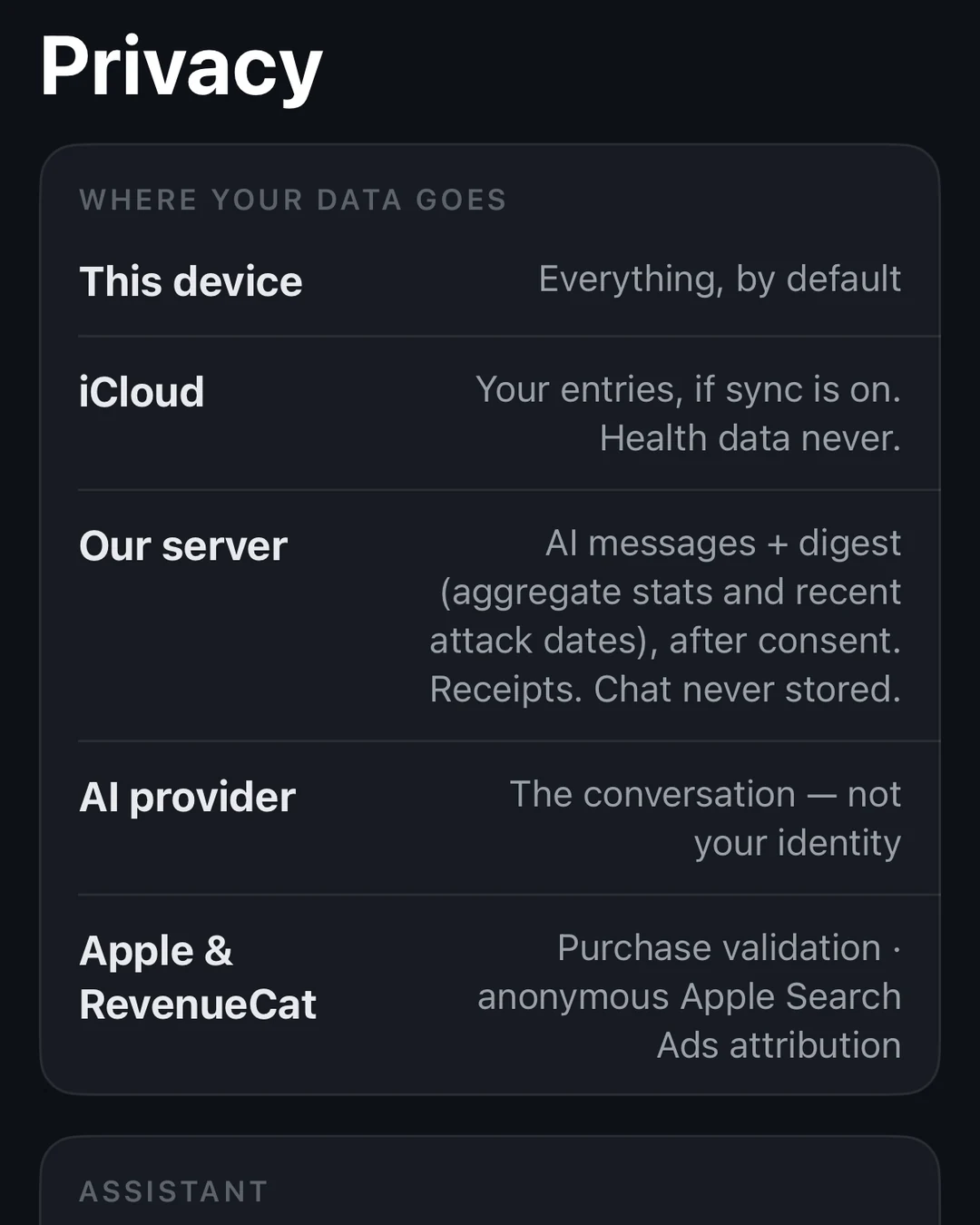
- Your log lives on your iPhone and in your own iCloud. We cannot see it.
- No analytics or ads code in the app. The App Store privacy label lists no contact info, because we never ask for any.
- Health data is never sold and never used for marketing.
- The AI companion, part of Premium, only sees an anonymised summary, only after you say yes. Nothing is stored or used for training.
Read the privacy policy — it is short, and it is in English.

Pricing
Free to log. Forever.
Premium adds understanding: reports, correlations, alerts and the AI companion. Logging, history and export never go behind a paywall, even if you cancel.
Free
$0
Everything you need to keep the diary. No time limit, no card.
- Log attacks, medication, food and check-ins
- Apple Watch, widget and Siri logging
- Calendar and full history
- Live barometer and 7-day pressure view
- Export as CSV or data PDF, any range
- 15 AI companion credits to try
Premium
$49.99 / year
About $4.17 a month, billed yearly, after a 7-day free trial. Or $8.99 a month. Or $129.99 once.
- Doctor report as PDF
- Correlations, with sample sizes
- Pressure alerts, forecast and full pressure history
- Full-range charts and a custom insight builder
- Pressure on your Watch face
- AI companion: 150 credits a month on the annual plan, 100 on monthly, 500 once with the one-time purchase
What happens at day 7. The trial ends and the annual plan starts at $49.99, unless you cancel first. We send one reminder on day 5. Cancel any time in Settings › Apple ID › Subscriptions on your iPhone. If you cancel later, Premium runs to the end of the period you paid for.
Prices in US dollars; the App Store shows your local price. Purchases are handled by Apple. The one-time purchase is a single payment with no renewal. Cancelling never removes your data: logging, history and export stay free.
Can Umber tell me my triggers?
It can show you what tends to come before your attacks in your own log, how often, and how that compares with other days. It cannot tell you what causes them; no app can, and Umber will not pretend to. Many people use the patterns as a short list to discuss with their doctor, or as things to try changing one at a time and then watch.
Is Umber a medical device?
No. Umber is a wellness tracker. It records what you log and shows patterns in your own data. It does not diagnose, treat or predict anything, and it is not a substitute for your doctor. Anything you notice in Umber is worth discussing with them.
Does it work offline?
Logging always works offline, and so does the barometer, because it is the sensor in your phone. Forecasts and weather need a connection. So does the AI companion.
Is there a real Apple Watch app?
Yes. Start and end an attack from your wrist, set severity with the crown, and see pressure as a complication with Premium. It works without your phone nearby and syncs when you are back together.
Can I get my data out?
Always, and free: a CSV or a plain data PDF for any date range, from Settings. Your data is yours, with or without Premium.
How do I cancel?
In Settings › Apple ID › Subscriptions on your iPhone, like any App Store subscription. There is also a link inside Umber. Cancel during the trial and you are not charged. Cancel later and Premium runs until the end of the period you paid for. Your log is untouched either way.
What does the AI companion do?
It answers questions about your own log in plain language: how many attacks last month, what changed since you started a new preventive, what to bring up at your appointment. It sees only an anonymised summary you agree to share, it never stores the conversation, and every reply reminds you to check with your doctor. It is part of Premium and uses credits.
What if I say no to every permission?
Everything still works. Location gives you a local forecast, Health gives you sleep, notifications give you pressure alerts. Decline any of them and Umber simply does less. You can also type a city instead of sharing location.